
Quick Start
-
Install Dojo
Terminal window npm install -g skills-dojo -
Create a skill
A skill is a directory containing a
SKILL.mdfile. The file uses YAML frontmatter to define the skill’s identity, followed by Markdown instructions for the agent.Create
skills/sql-queries/SKILL.md:---name: sql-queriesdescription: >-Write correct, performant SQL across major data warehouse dialects.Use when writing queries, optimizing slow SQL, or translating between dialects.---# SQL QueriesWhen loaded, write SQL that follows these conventions:- Use CTEs over nested subqueries- Always qualify column names with table aliases- Prefer explicit JOIN syntax over implicit joinsThe
namefield must be lowercase alphanumeric with hyphens (e.g.sql-queries,code-review). Thedescriptiontells the agent when to select this skill. -
Write an eval
Create
skills/sql-queries/evals/selection.yaml:timeout: 30skills: allevals:- name: basic-selectprompt: "Write a SQL query to get all users who signed up in the last 30 days"assert:- sql-queries- name: not-sqlprompt: "Write a Python script to parse a CSV file"assert: noneThe first eval checks that the agent selects
sql-queriesfor a SQL-related prompt. The second checks that it does not select any skill for an unrelated prompt. -
Run the evals
Terminal window dojo runDojo runs each eval against the configured model provider (Anthropic by default), shows pass/fail results, and writes a JSON report to
skills/sql-queries/evals/reports/<run-id>/report.json.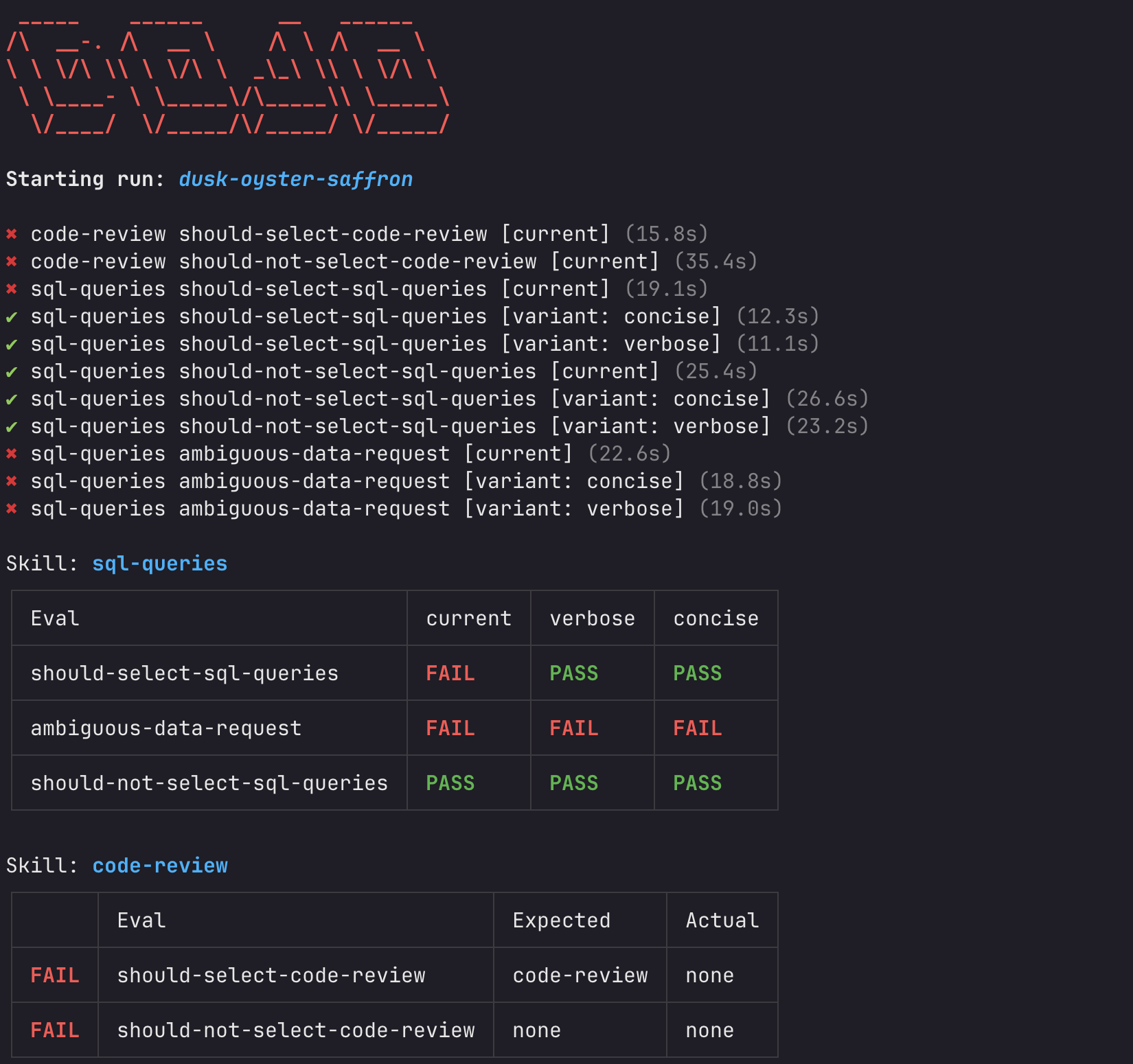
To run evals for a specific skill:
Terminal window dojo run sql-queriesTo run a specific eval by name:
Terminal window dojo run --eval basic-select